🛡️ Enterprise Active Directory, LDAP & RBAC
Gubernator provides enterprise-grade identity federation and Role-Based Access Control (RBAC), enabling organization-wide single sign-on (SSO) with Microsoft Active Directory and OpenLDAP, alongside an emergency Local Administrator fallback.
📸 Visual Showcase
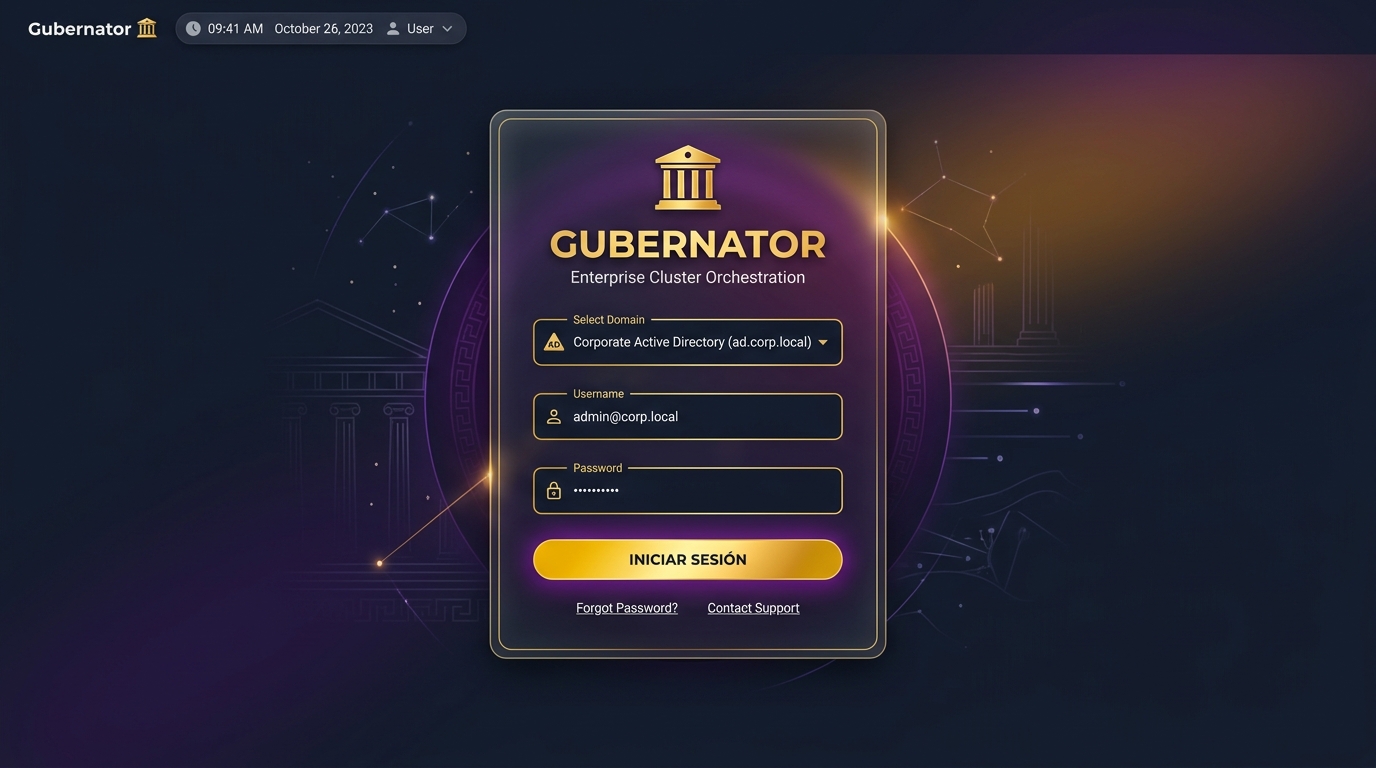
Modern Login Screen & Domain Selector
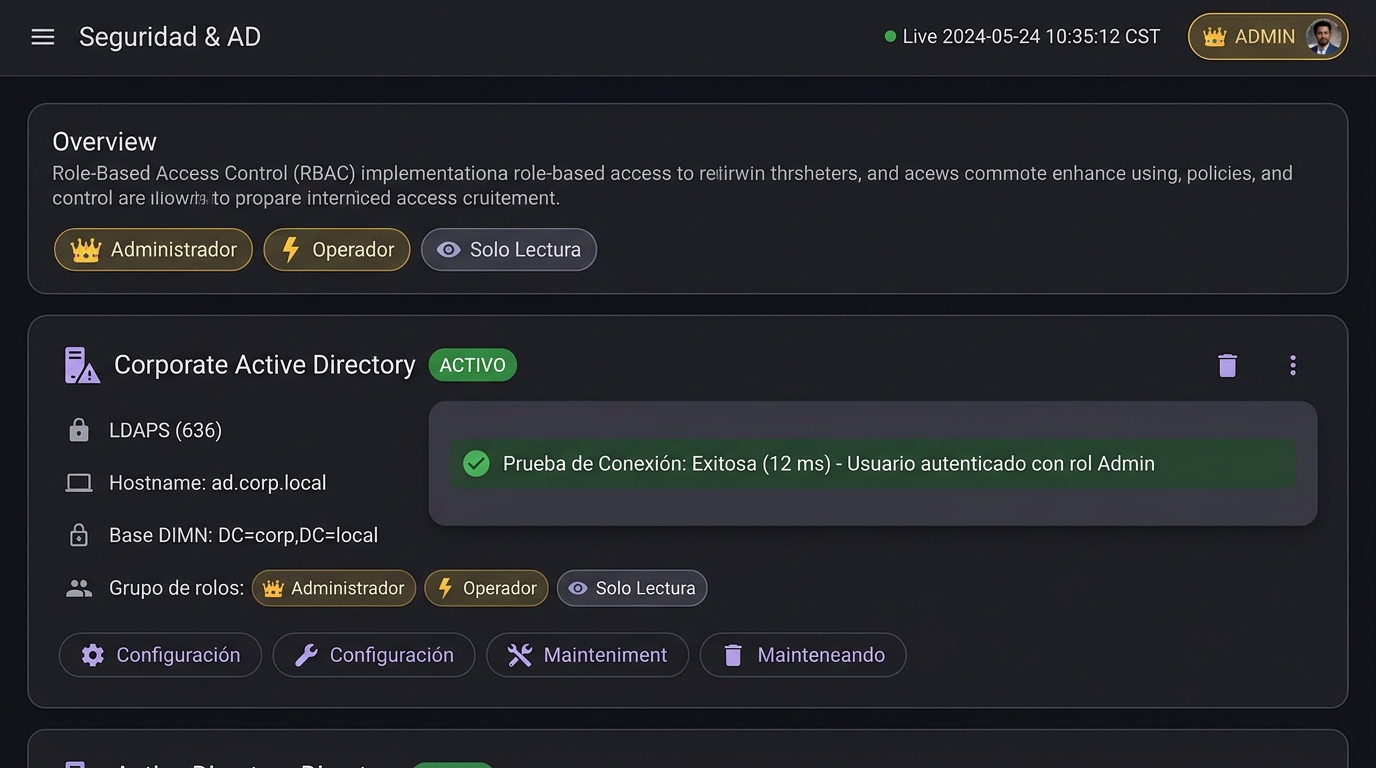
Security & Active Directory Management Dashboard
🏛 Architecture & Security Model
 ┌────────────────────────────────────────────────────────┐
 │                   GUBERNATOR WEB UI                    │
 │   - Modern Login Screen with Domain / AD Selector      │
 │   - Profile & Role Badge: 👑 Admin | ⚡ Ops | 👁️ View │
 └──────────────────────────┬─────────────────────────────┘
                            │ (REST /api/auth/login)
                            ▼
 ┌────────────────────────────────────────────────────────┐
 │             GUBERNATOR CORE AUTH ENGINE                │
 │  - Local Emergency Admin (admin / admin fallback)      │
 │  - Multi-Server Active Directory / OpenLDAP Dialers    │
 │  - LDAPS (Port 636) & StartTLS (Port 389) Handshake    │
 │  - Dynamic Group DN -> RBAC Role Resolution            │
 │  - Cryptographic HMAC-SHA256 JWT Token Signing         │
 └─────────────┬────────────────────────────┬─────────────┘
               │                            │
               ▼                            ▼
 ┌───────────────────────────┐ ┌──────────────────────────┐
 │  Primary Active Directory │ │ Secondary LDAP Server    │
 │   dc1.corporate.local     │ │   dc2.dr-site.local      │
 └───────────────────────────┘ └──────────────────────────┘
👥 Role-Based Access Control (RBAC) Matrix
Gubernator implementa una matriz RBAC de 4 niveles que garantiza la segregación de funciones y responsabilidades diferenciadas exigida por el Esquema Nacional de Seguridad (ENS org.2):
| Capability | 👑 Admin | ⚡ Operator | 🛡️ Auditor (ENS org.2) |
👁️ Read-Only |
|---|---|---|---|---|
| Overview Dashboard & Telemetry | ✅ Full | ✅ Full | ✅ Full | ✅ Full |
Deploy Stacks (docker-compose.yml) |
✅ Full | ✅ Full | ❌ Restricted | ❌ Restricted |
| Redeploy & Duplicate Stacks | ✅ Full | ✅ Full | ❌ Restricted | ❌ Restricted |
| Delete Stacks | ✅ Full | ❌ Restricted | ❌ Restricted | ❌ Restricted |
| Task Lifecycle (Start / Stop / Restart) | ✅ Full | ✅ Full | ❌ Restricted | ❌ Restricted |
| Container & Node Terminal Shell | ✅ Full | ✅ Full | ❌ Restricted | ❌ Restricted |
| Centurions Management (Drain / Activate / Leave) | ✅ Full | ❌ Restricted | ❌ Restricted | ❌ Restricted |
| Caddy TLS Lifecycle & Certificate Upload | ✅ Full | ❌ Restricted | ❌ Restricted | ❌ Restricted |
| CoreDNS Forwarders & Custom Records | ✅ Full | ❌ Restricted | ❌ Restricted | ❌ Restricted |
| Active Directory & LDAP Directory Settings | ✅ Full | ❌ Restricted | ❌ Restricted | ❌ Restricted |
Forensic Audit & SIEM Logs (op.mon.1) |
✅ Full | ❌ Restricted | ✅ Full (Read & Verify) | ❌ Restricted |
ENS Compliance Dashboard (RD 311/2022) |
✅ Full | ❌ Restricted | ✅ Full (Audit & Export) | ❌ Restricted |
| Grafana, Jaeger & Weave Scope Dashboards | ✅ Full | ✅ Full | ✅ Full | ✅ Full |
⚙️ Active Directory Configuration Guide
1. Web UI Configuration
Navigate to Seguridad & AD in the sidebar:
1. Click Añadir Servidor AD / LDAP.
2. Configure your server parameters:
- Nombre Descriptivo: Corporate Active Directory
- Host / Puerto: dc1.empresa.local : 636 (LDAPS / TLS) o 389 (StartTLS).
- Base DN (Search Base): DC=empresa,DC=local.
- Service Account Bind DN: CN=svc_gubernator,OU=ServiceAccounts,DC=empresa,DC=local.
- Bind Password: ••••••••.
- User Filter: (&(objectClass=user)(sAMAccountName=%s)).
- Mapeo de Grupos a Roles RBAC:
- 👑 Admin Group: CN=Gubernator_Admins,OU=Groups,DC=empresa,DC=local
- ⚡ Operator Group: CN=Gubernator_Operators,OU=Groups,DC=empresa,DC=local
- 👁️ Read-Only Group: CN=Gubernator_Viewers,OU=Groups,DC=empresa,DC=local
- Default Role: readonly (asignado si el usuario no pertenece a ningún grupo específico).
3. Click Test Connection para validar la conectividad TCP, negociación TLS, autenticación del Bind y resolución de atributos de usuario y grupos en tiempo real.
4. Click Guardar.
🔌 REST API Specification
1. List Auth Providers
Response:{
"providers": [
{"id": "local", "name": "Local Administrator", "type": "local"},
{"id": "ad-corp-primary", "name": "Corporate Active Directory", "type": "ldap"}
]
}
2. User Authentication (Login)
POST /api/auth/login
Content-Type: application/json

{
  "username": "mario.ezquerro",
  "password": "CorporatePassword123!",
  "provider": "ad-corp-primary"
}
{
  "token": "eyJhbGciOiJIUzI1NiIsIn...",
  "user": {
    "username": "mario.ezquerro",
    "display_name": "Mario Ezquerro",
    "email": "mario.ezquerro@empresa.local",
    "role": "admin",
    "provider": "ldap:ad-corp-primary",
    "permissions": {
      "can_deploy_stacks": true,
      "can_delete_stacks": true,
      "can_restart_tasks": true,
      "can_delete_tasks": true,
      "can_execute_shell": true,
      "can_manage_nodes": true,
      "can_manage_caddy": true,
      "can_manage_coredns": true,
      "can_manage_security": true,
      "can_view_observability": true
    },
    "expires_at": "2026-08-18T08:00:00Z"
  }
}
3. Verify Active Session
4. LDAP Configuration Management (admin only)
GET /api/auth/ldap: List configured LDAP servers (passwords masked as••••••••).POST /api/auth/ldap: Create or update LDAP configuration.DELETE /api/auth/ldap/:id: Remove LDAP directory connection.POST /api/auth/ldap/test: Live connection test and diagnostic analyzer.
🔒 Emergency Local Administrator Access
If the Active Directory domain controllers are offline or during disaster recovery, Gubernator always maintains an emergency local administrator account configured via environment variables:
In the login screen, choose Local Administrator (or click "Acceso Rápido Local") to authenticate immediately without LDAP dependencies.